
DAI supplier management portal registration platform
Unlock local business potential to fuel community transformation
- Platform
- Web app
- Industry
- Supplier sourcing
Overview
DAI is a global development company that partners with governments, corporations, and philanthropies to address critical social and economic challenges. Since 1970, it has worked in over 150 countries to promote governance, create inclusive markets, and ensure stability. Its Sustainable Business Group (SBG) supports clients in aligning commercial and social impact goals through supply chain localization and targeted social investment. SBG’s key product, the Supplier Management Portal (SMP), enables buyers to source local suppliers and strengthen their social license to operate. The legacy platform made it difficult for suppliers to register and for buyers to identify qualified vendors, so DAI SBG brought our team in to redesign the experience.
The platform also includes a local hiring and purchasing data reporting feature, which will be covered in a separate case study.
My role
I joined the project post-discovery and quickly ramped up by thoroughly reviewing the research materials. I collaborated with another designer, working closely with two product managers and a team of twelve developers to design and deliver key features.
Outcome
35%
reduction in supplier registration drop-offs
45%
fewer tech support requests
A simplified, accessible supplier intake flow
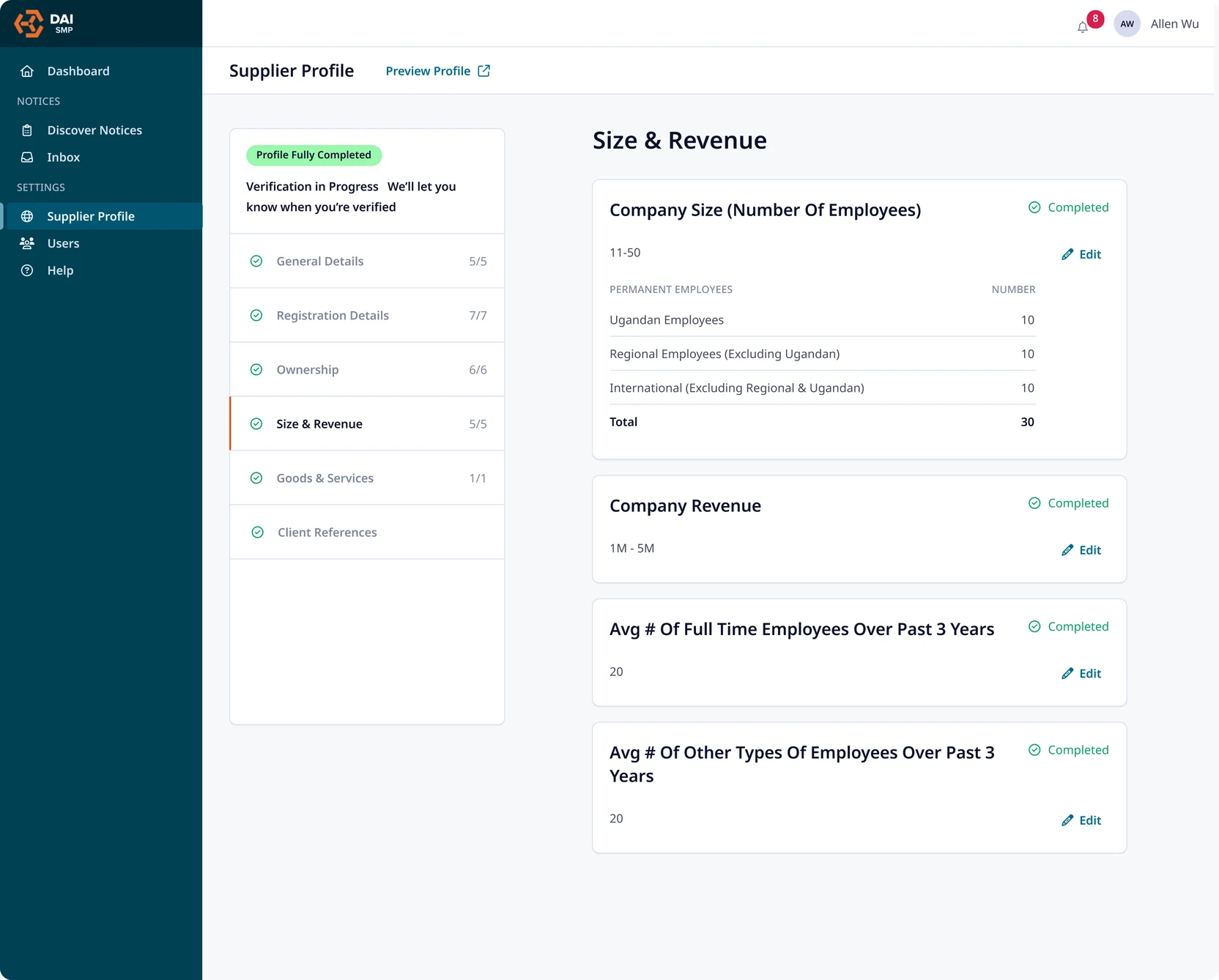
Signing up for the platform used to be a tedious, error-prone experience for suppliers. Through active stakeholder communication, we learned that supplier users vary widely in their technical proficiency. While medium-to-large enterprises often have the resources to complete the application accurately, many small businesses struggle with the process.
To fix this, we removed redundant fields and prioritized inputs essential to the procurement process. We also streamlined the form into bite-sized sections, using a dynamic tracker to guide suppliers through the process.
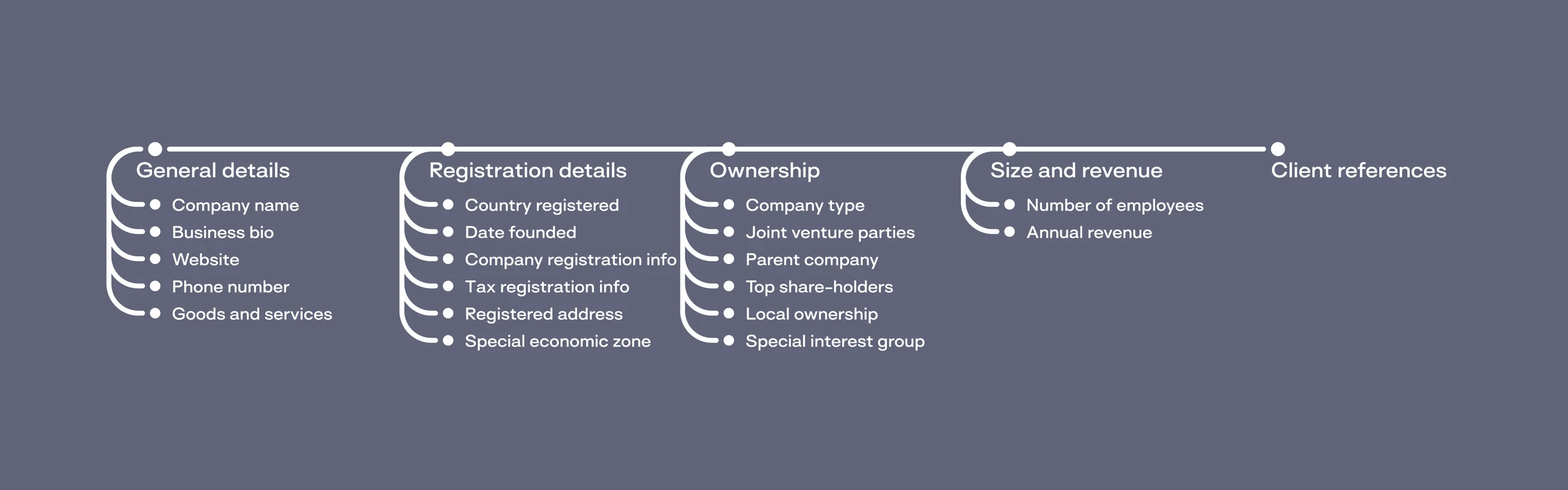
We front-loaded the form with simple, low-effort questions to ease users in. As the form progresses, more complex fields appear, at a point when users are already invested, making them more likely to continue. This approach leverages the “sunk cost fallacy,” a behavioral principle that increases the likelihood of task completion as users become more committed over time.
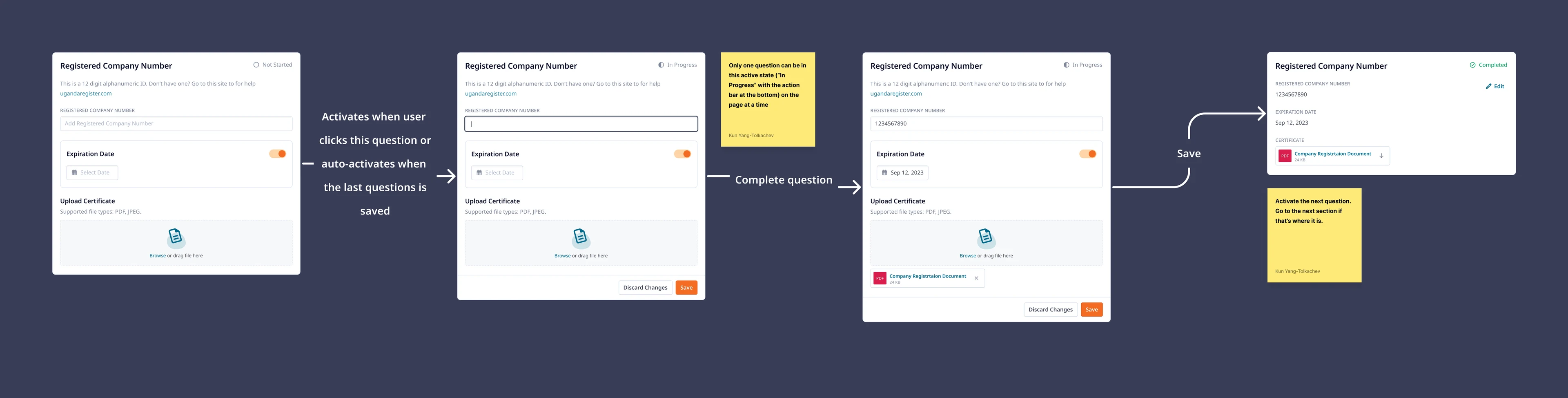
Due to the lack of stable internet connection in many supplier locations, we implemented a question-level manual saving pattern that minimized any potential data loss and reassured user that their input has been saved.
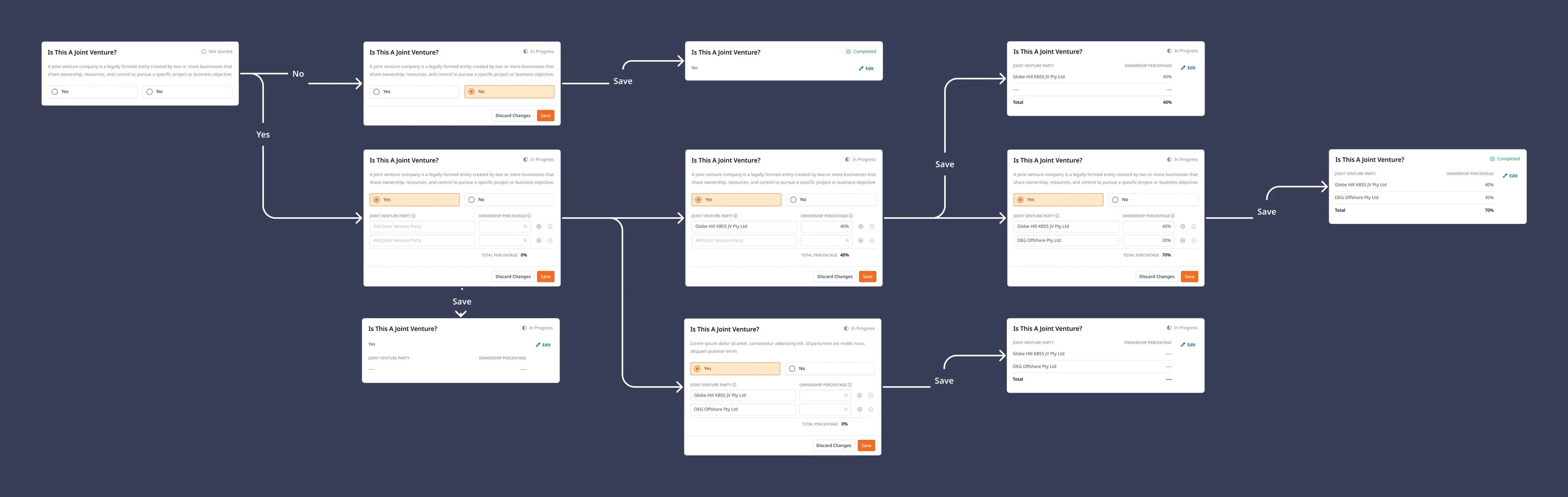
Additionally, we recognized that some users may not have all the required information on hand. By allowing partial progress to be saved at the question level, users can complete what they know and return later, promoting more flexibility.
To enhance data quality and minimize user errors, we applied targeted validation rules to critical fields such as email, phone number, and percentage inputs, guided by widely accepted UX best practices:
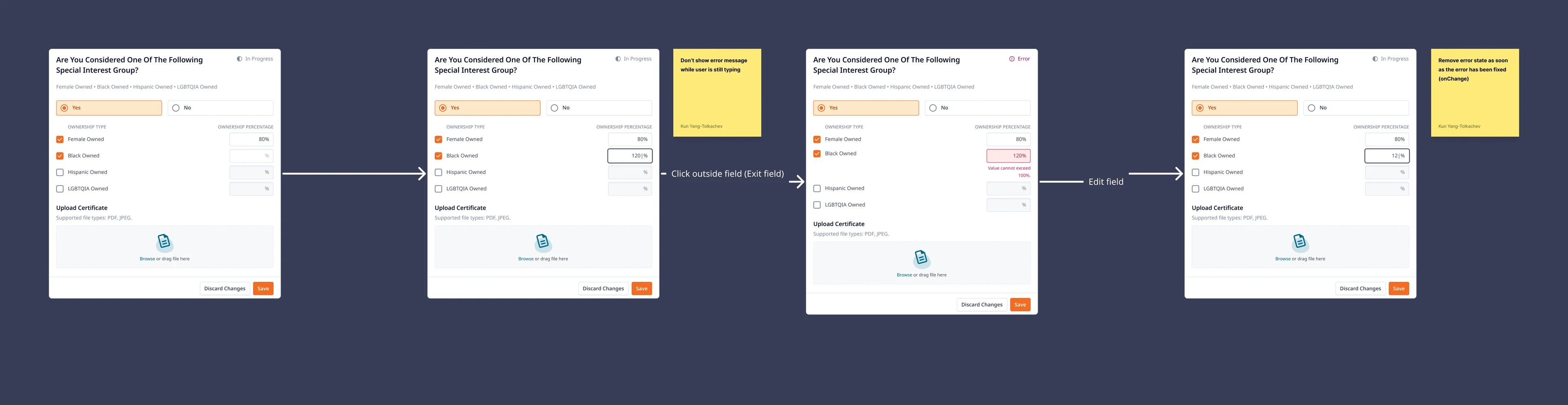
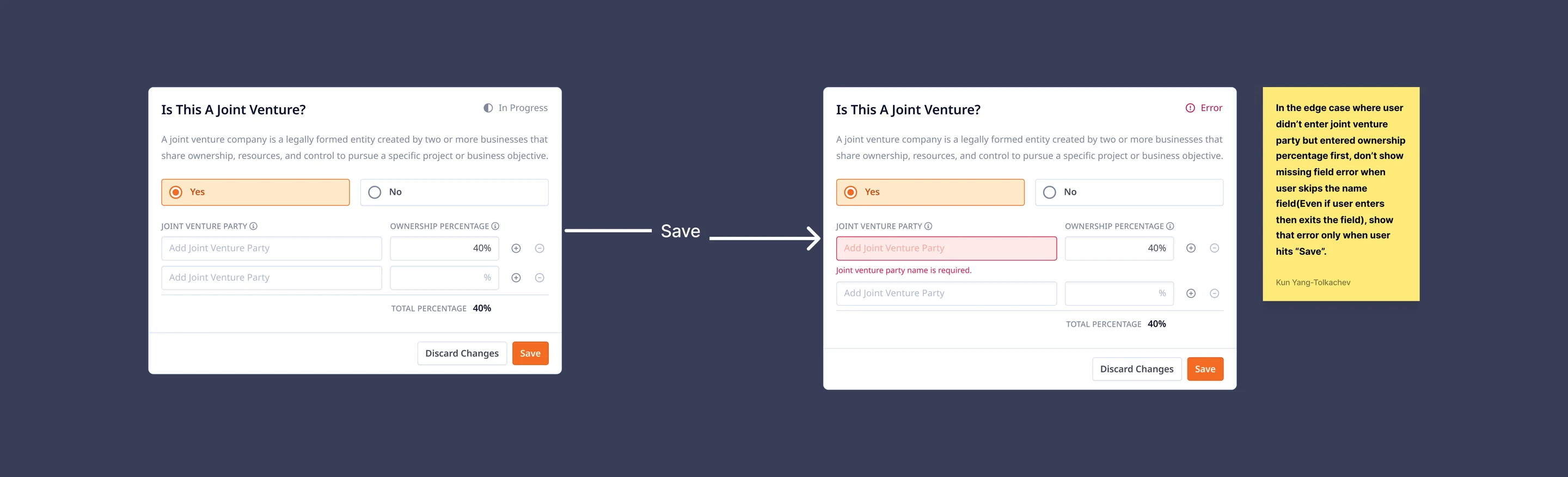
Empty field validation on submission
If a required field is left blank, the error only appears when the user clicks “Save” (onSubmit). This approach prevents premature warnings and respects the user’s intent to complete the question.
Clearer, faster paths to opportunity
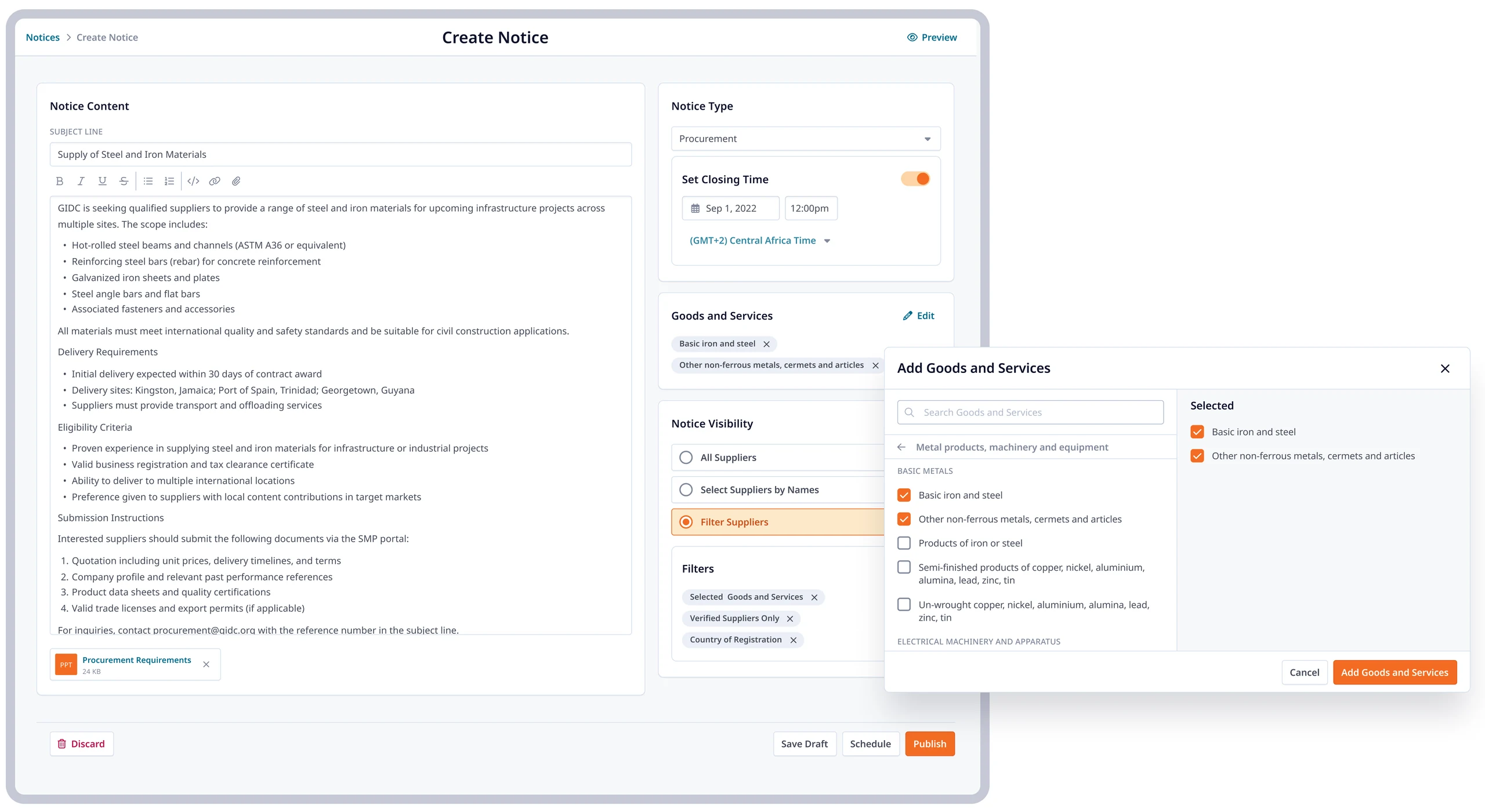
We reworked the notice creation experience from the ground up. The new goods and services tagging modal allows buyers to quickly select from thousands of options. Buyers can now post procurement opportunities with targeted visibility settings: filtering suppliers by sector, verification status, and location. This ensures each notice reaches the most relevant suppliers, improving response rates and reducing irrelevant responses.
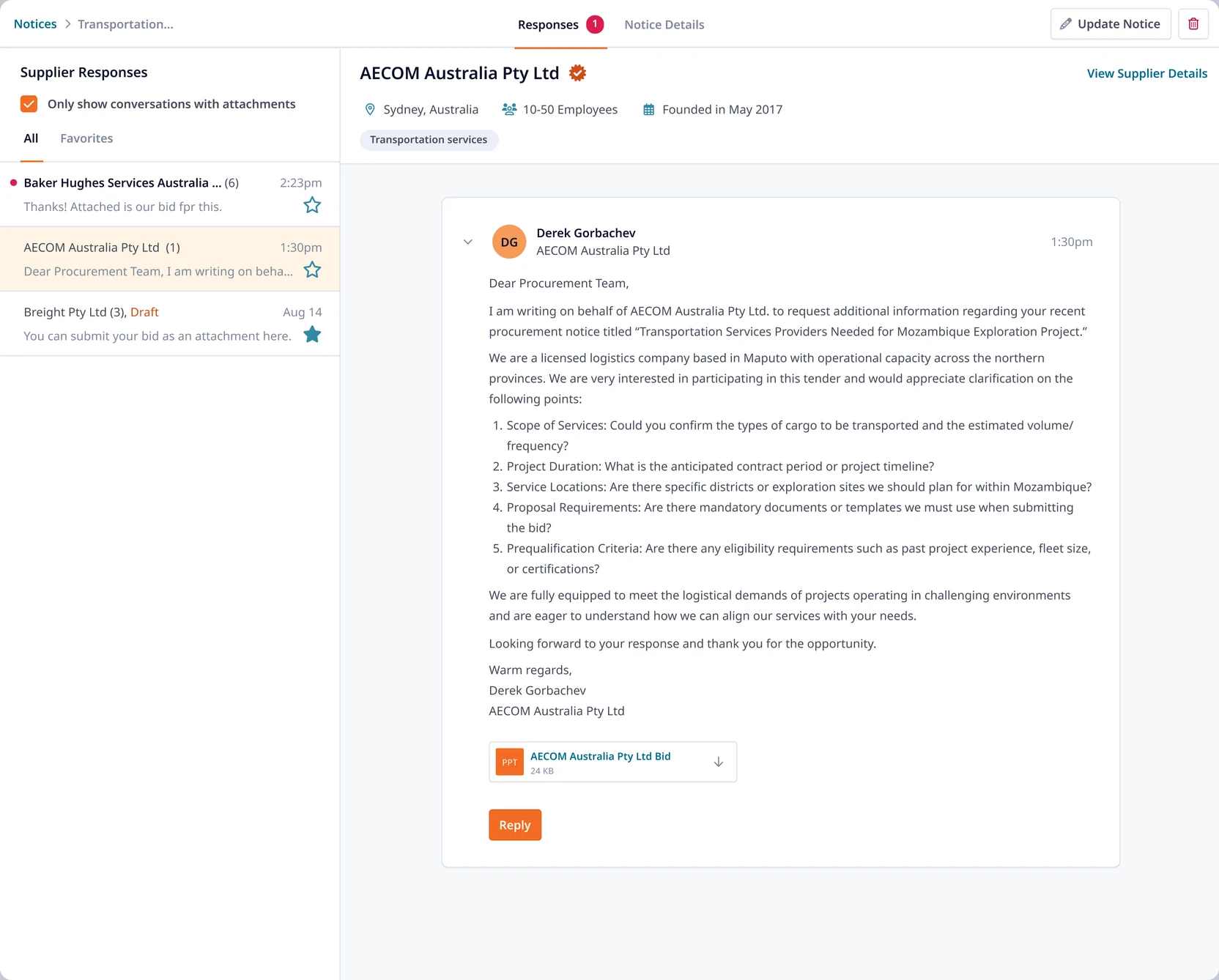
Once a notice is live, buyers can manage supplier responses in a centralized workspace. Each supplier’s submission of inquiry or bid includes contextual metadata and one-click access to the full supplier profile: all designed to reduce back-and-forth and streamline decision-making.
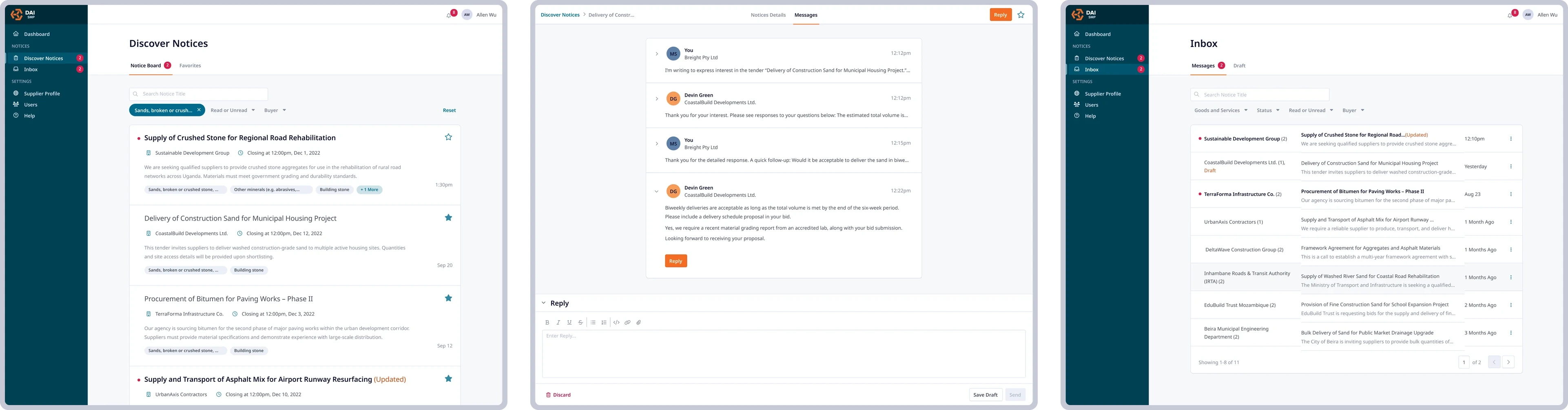
For suppliers, the platform now revolves around three views: Discover, Messages, and Inbox. The redesigned discover view enables filtering to serve notices relevant to supplier business.
Conversations are organized by opportunity and presented in a threaded, email-style format, making it easy to track questions, submit bids, and follow up in one place.
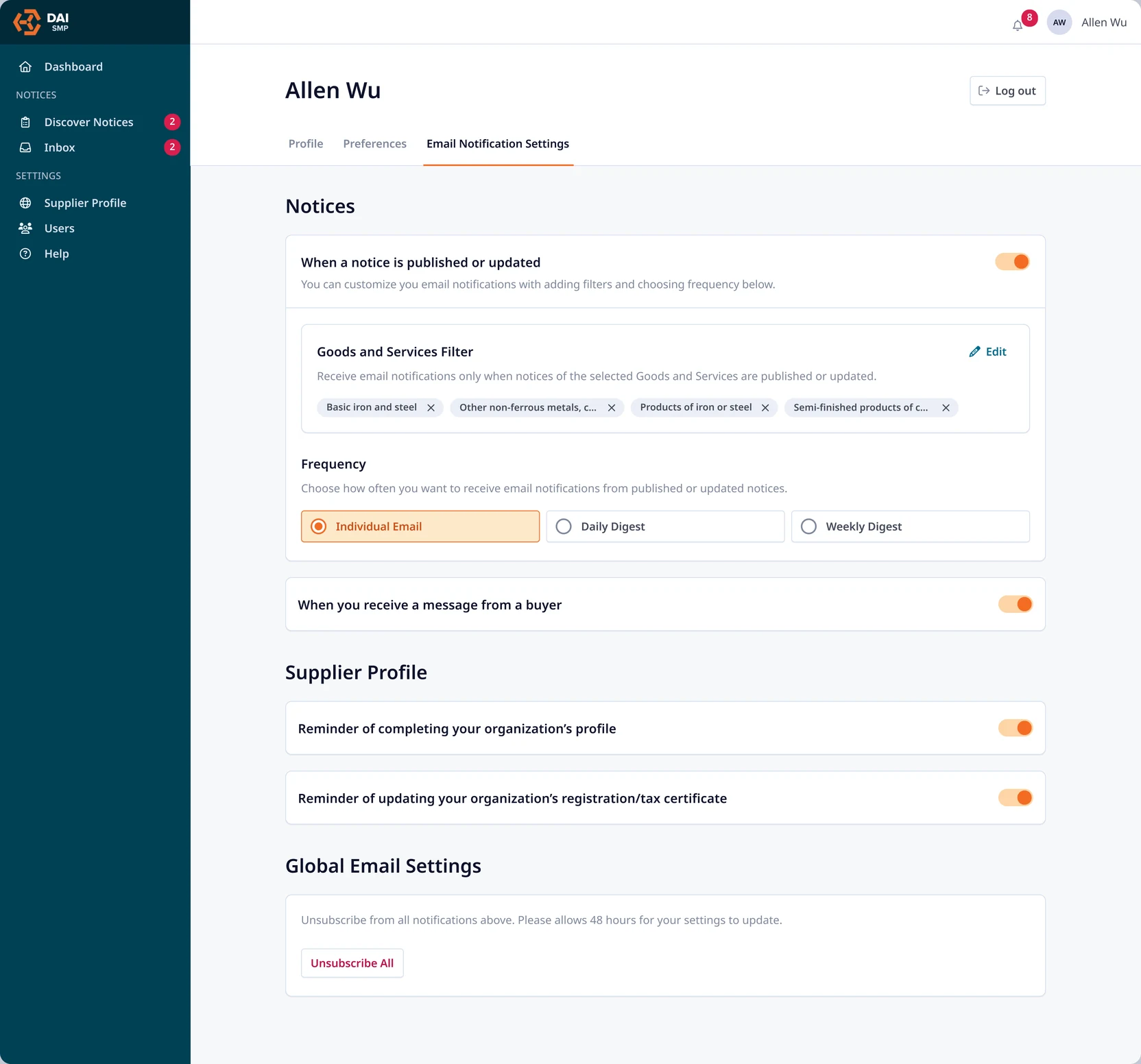
To keep suppliers engaged, we built a customizable alert system. Notifications can be filtered by a supplier’s registered goods and services, ensuring relevance and reducing overload.
The system is flexible enough to keep users connected, and simple enough for nontechnical users to manage with ease.
Impact
The SMP significantly improved how local suppliers and international buyers connect, communicate, and collaborate. By streamlining supplier onboarding and centralizing procurement workflows, the platform reduced inefficiencies and unlocked new opportunities for both sides of the marketplace. These improvements supported regulatory compliance, economic development, and operational scalability across regions.
- Provided 100K+ local suppliers (sometimes for the first time) with access to international corporate contracts.
- Established a standardized platform and avenue for educating local suppliers on doing business with international organizations.